
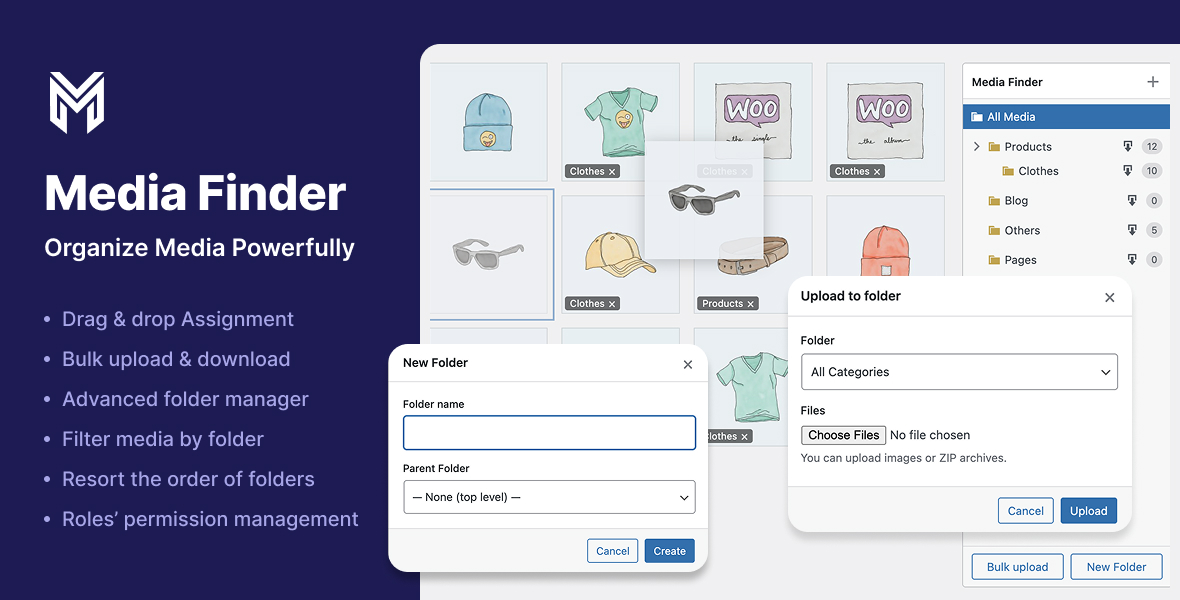
Media Tree transforms the default WordPress media library into a powerful, folder‑based manager. Instead of endlessly scrolling through uploads, you get a clean, draggable folder tree (stored as a taxonomy) that lets you organize thousands of images, videos, and documents in seconds.Create nested folders, drag files between them, bulk-assign existing media, and even bulk-upload directly into a target folder (including ZIP archives). A lightweight, native UI blends seamlessly with the WordPress admin and works in both grid and list views.
Folder tree in the media library
Visual, hierarchical folders on the right side of the media library, backed by a custom taxonomy (media_finder_category).
Drag & drop organization
Drag single or multiple attachments onto folders in grid or list view to assign them instantly. Folder badges on thumbnails show current assignments.
Context menu for folders
Right-click any folder to create subfolders, rename, cut/paste (move), or delete it. Drag folders to reorder siblings and persist custom folder order.
Bulk tools for real workflows
Bulk upload files or ZIP archives directly into a chosen folder.
Bulk assign selected items to a folder from the media modal toolbar.
Download folders as ZIP
Export an entire folder (including subfolders) as a ZIP file with one click.
Per-feature role permissions
Fine‑grained control over who can view folders, create/rename/delete them, move them, assign media, bulk upload, and download ZIPs. Perfect for multi-author or client sites.
Custom Folder Color
Assign a custom color to each folder so you can visually distinguish categories at a glance